
Jack Hayes
2026-04-16 
How to Get 10+ Google Reviews Per Week

To rank at the top of search results, especially in the competitive local map pack on Google, a business can’t be satisfied with having a handful of old Google Business Profile reviews. Search engines and AI algorithms prioritize "review velocity", the speed and consistency at which a business acquires new online reviews.
Getting 10 or more Google reviews every single week might sound daunting, but it doesn't require begging customers or spending hours sending emails manually. A steady flow of new Google reviews is possible, but it requires having an automated system in place.
Here’s a blueprint to help generate a stream of 10+ Google reviews every week.
1. Send the Right Number of Requests
To get 10 reviews a week, let’s take a look at some estimated conversion math. According to a 2025 study, a well-optimized, automated text message request converts at roughly 20% to 30% on average.
To get 10 reviews, you need to send roughly 35 to 50 requests per week.
For a business open 5 days a week, that is only 7 to 10 review requests per day.
If your business interacts with at least 7 to 10 customers a day, the volume you need is already there. The only thing missing is capturing it.
2. Give Your Customers Notice
A lot of business owners and employees can feel awkward asking for reviews. They feel like they might be imposing on the customer.
The secret to overcoming this is to stop making it seem like a massive favor and just start working it in as a part of your standard operating procedure. Train your team to use a simple, low-pressure phrase when the customer is checking out:
"Thank you so much for coming in today. You'll get a quick text message (or email) in a few minutes asking for your feedback. If you have 30 seconds, a quick review really helps us out."
By planting the expectation that a text is coming, the customer will know what to look for, and you can boost the conversion rate odds on that request.

3. Send the Review Request ASAP
Timing can make all the difference between a 5-star review and an unopened message. If you send a review request two weeks later, the customer has probably forgotten all the details about their experience and no longer feels connected enough to leave a review. The best possible time to request a review is right away, and ideally within 60 minutes of the service being completed. This is when the customer is at "Peak Happiness," and the experience is fresh in their mind.
4. Send Requests with Email and SMS
If your target goal is 10+ reviews a week, sending requests via email alone leaves you fighting an uphill battle. With average email open rates hovering around 20%, a large percentage of your customers will never even see the request.
Text messages have an open rate of 98%. Switching the review collection process from email to SMS instantly multiplies the volume of reviews without requiring a single additional customer.
5. Incentivize Your Team (Not the Customer!)
Google’s terms of service strictly prohibit incentivizing customers to leave reviews. Offering discounts or freebies in exchange for a 5-star rating can get a Google Business Profile suspended.
However, incentivizing your employees to collect reviews is perfectly legal and can be highly effective.
Create a weekly pool (e.g., $50 or a gift card).
Every time an employee is mentioned by name in a positive Google review, they get a point.
The employee with the most points at the end of the month wins the pool.
Gamifying the process for your staff will pretty much guarantee that they’ll remember to mention the incoming review request text to customers.
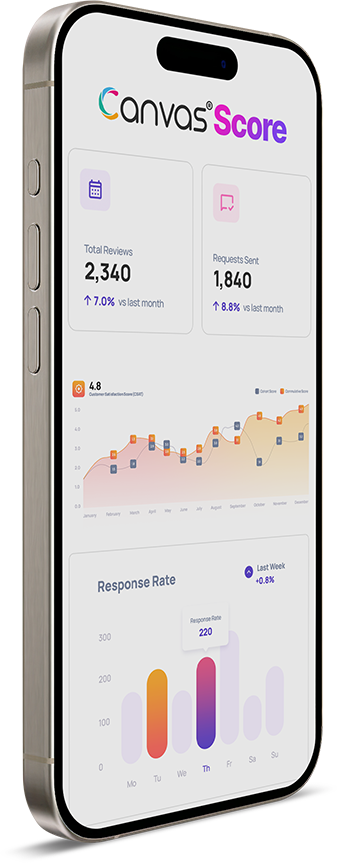
6. Put the Review Request Process on Autopilot
The biggest enemy of review velocity is short-term memory. If someone has to manually remember to send a text or an email to every customer after they leave, the system will eventually break down when the business gets busy.
A reliable growth engine needs automation.
By integrating reputation management with your CRM or scheduling software, review requests can be triggered automatically the moment a job is completed.
The system runs in the background, continuously generating reviews while your team can focus on actually running the business and giving customers a great experience to write about.
Hit Your 10+ Google Reviews Goal Next Week
Reaching 10+ Google reviews a week isn't about luck; it’s about putting a system in place that’s easy for your staff and your customers.
See how Canvas Score makes review automation effortless—Start your 14-day free trial today.
Canvas® Score, the latest innovation from Roya.com — trusted by thousand of healthcare practices

Canvas® Score is a proprietary review & referral automation platform designed and developed by Roya.com
© 2026 Canvas® Score | All Rights Reserved