
Click on Integration on the left hand side of your menu > Automation
Automation
Use automation to sync your contacts in real time, send NPS surveys right after appointments, attach referrals for happy customers, and boost reviews! A completely hands-free experience meant to make your life easier.
How to Set Up Your Automation:
Step 1:
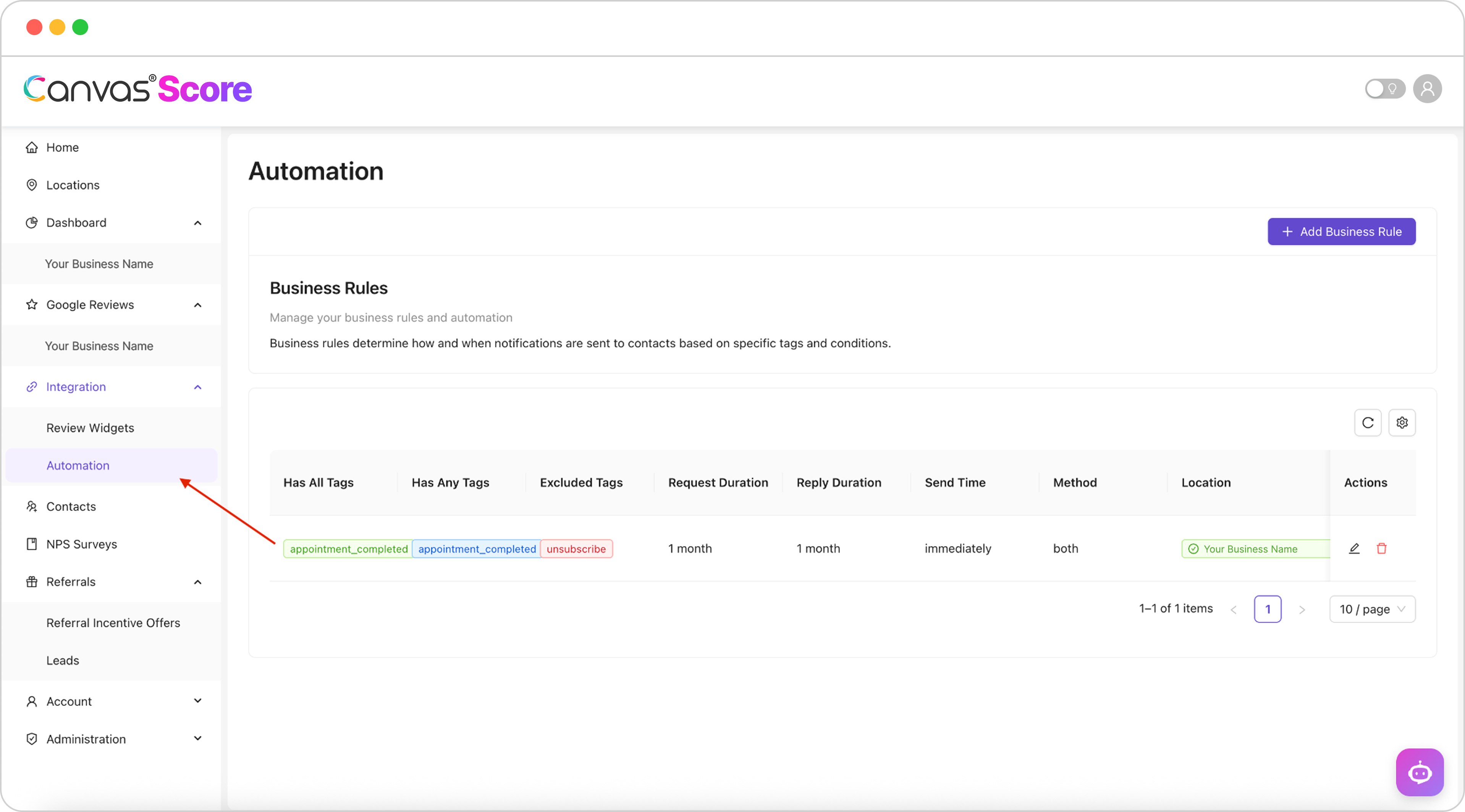
Step 2:
Click + Add Business Rule
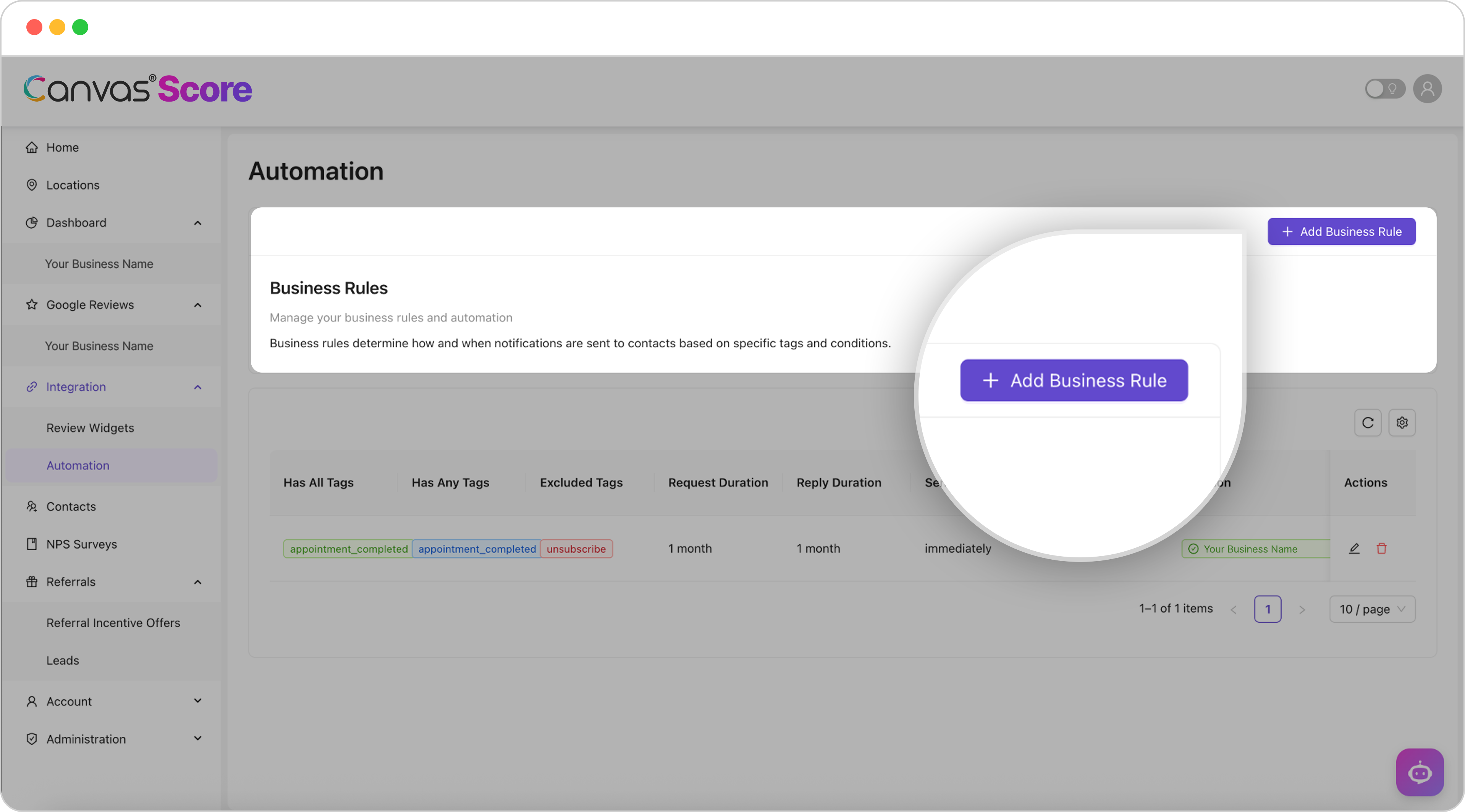
Step 3:
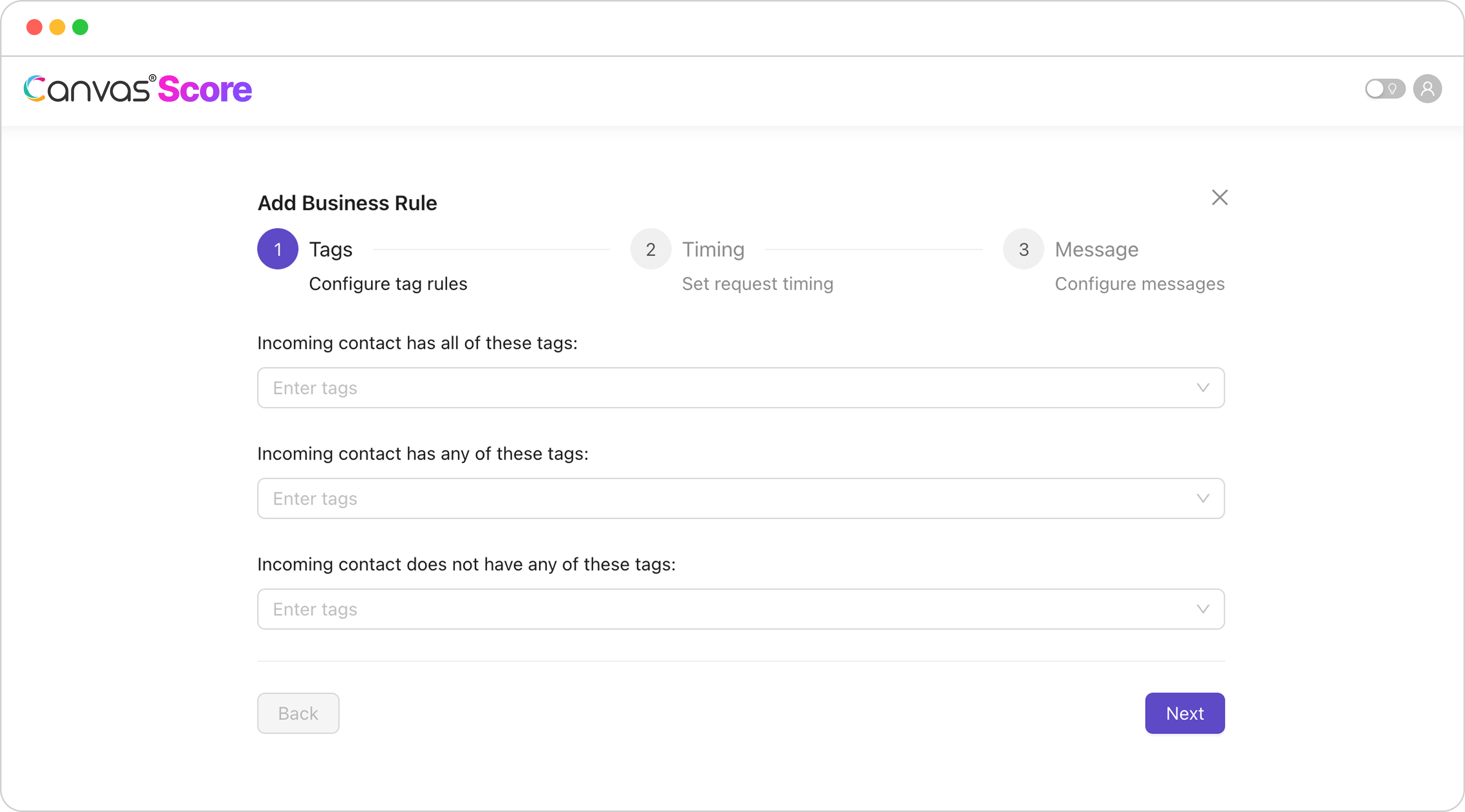
Add Your Business Tags:
Incoming contacts has all these tags:
Recommended: ‘Appointment Completed’
Incoming contact has any of these tags:
Recommended: ‘Appointment Completed’
Incoming contact does not have any of these tags:
Recommended: ‘Unsubscribe’
Step 4:
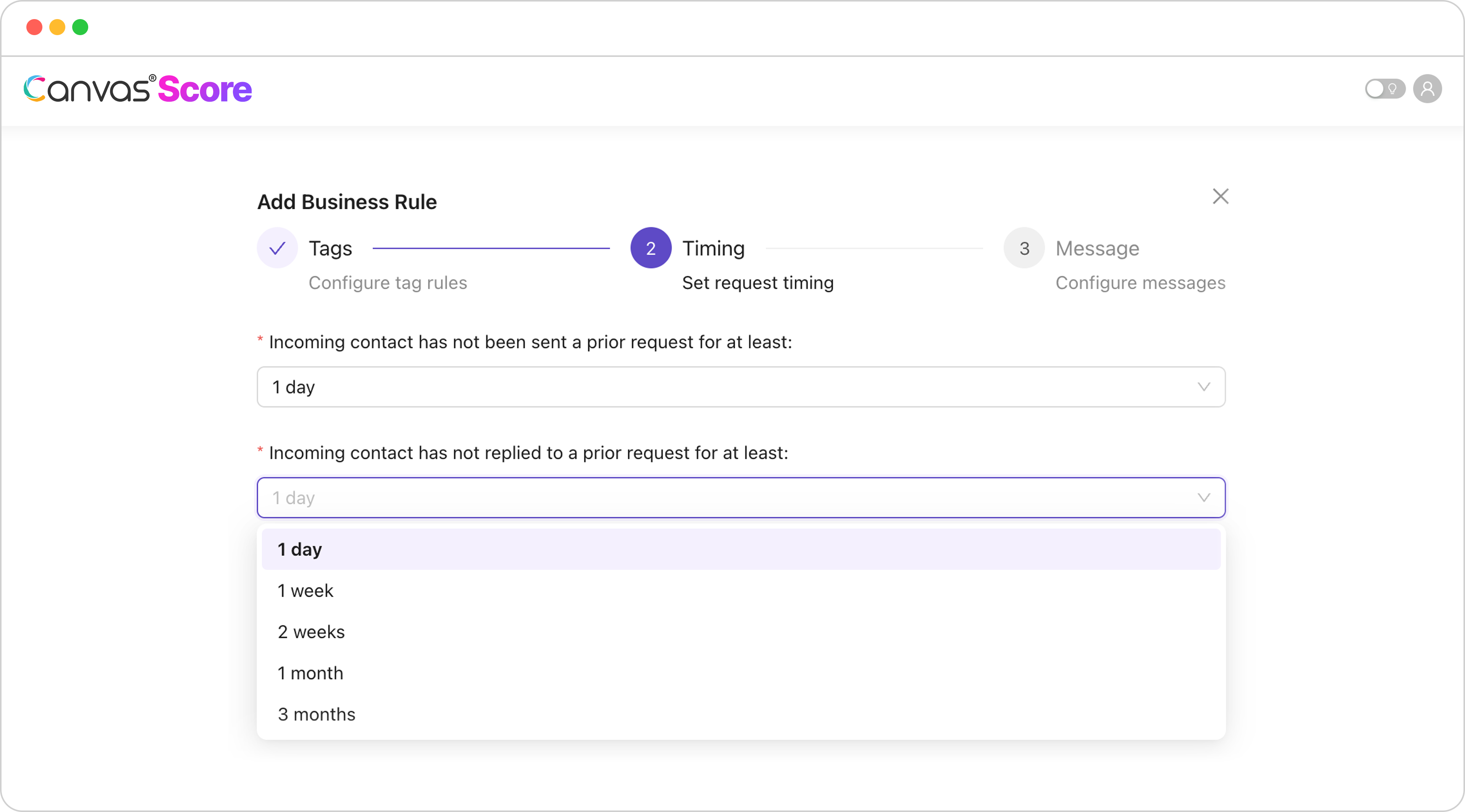
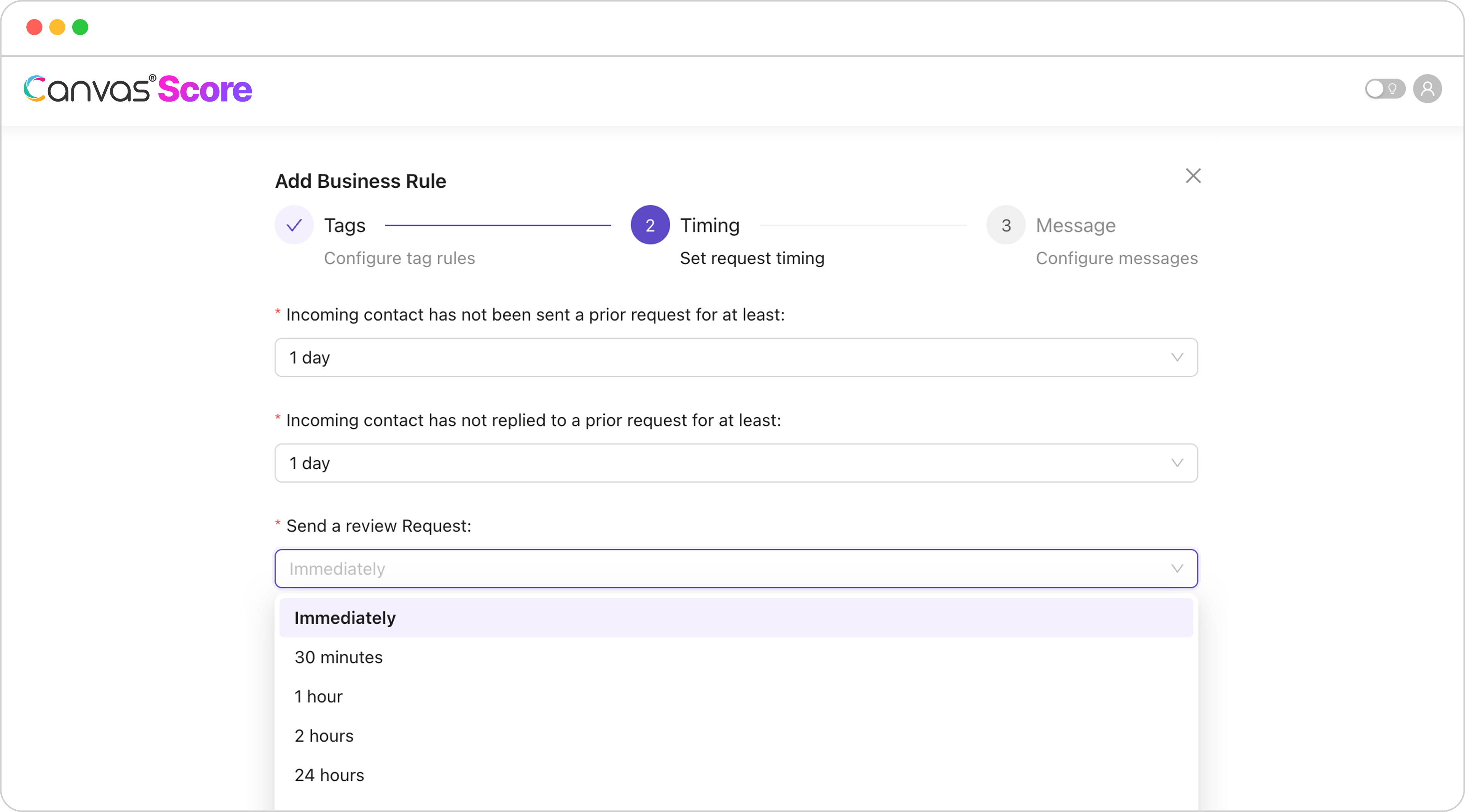
Add Timing for each category
Incoming contact has not been sent a prior request for at least:
Recommended: 1 month
Incoming contact has not replied to a prior request for at least:
Recommended: 1 month
Send a review Request:
Recommended: Immediately

Step 5:
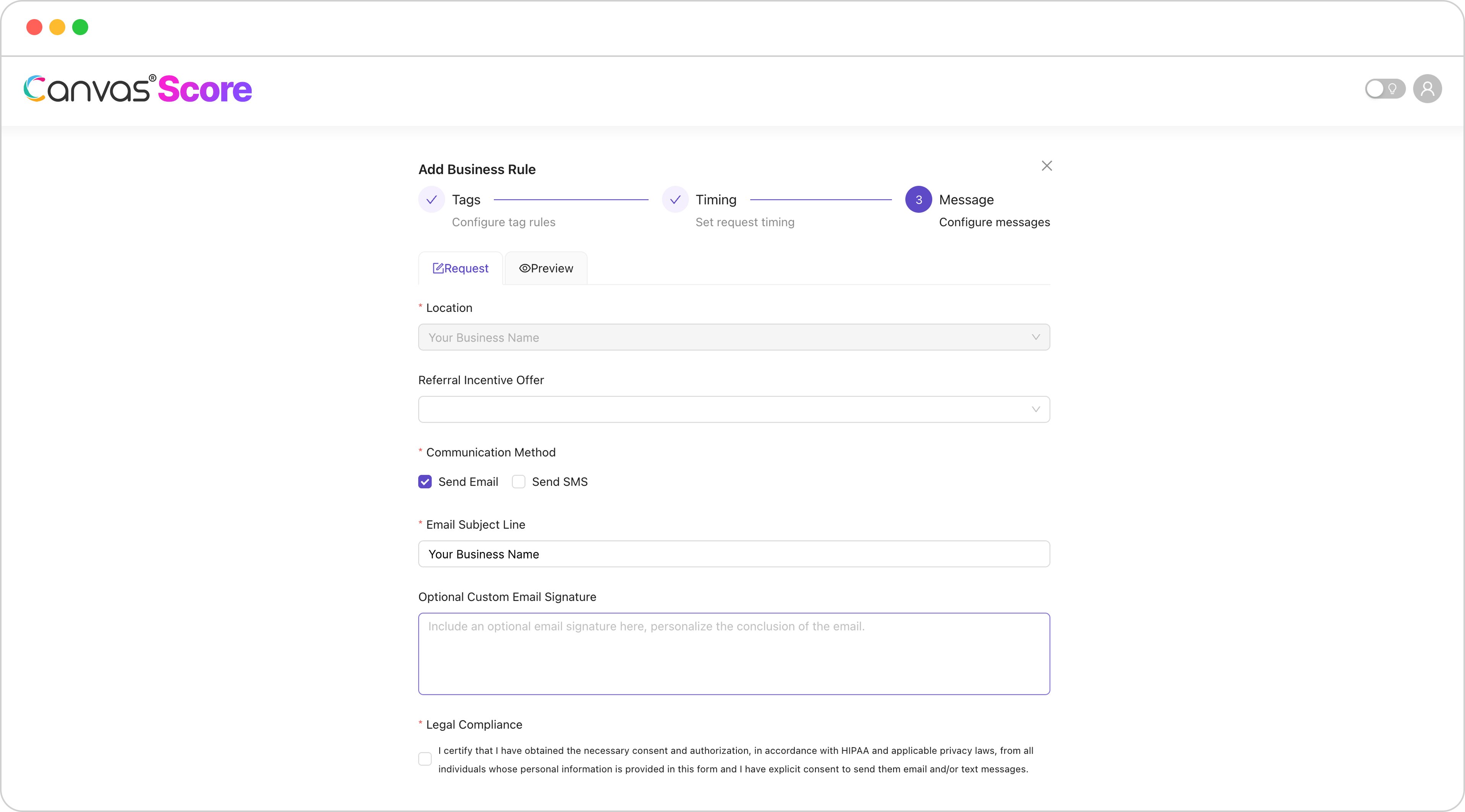
Edit your NPS survey - Add your incentive offer, set your preferences for email, texts, or both, and add a custom signature.
Step 6:
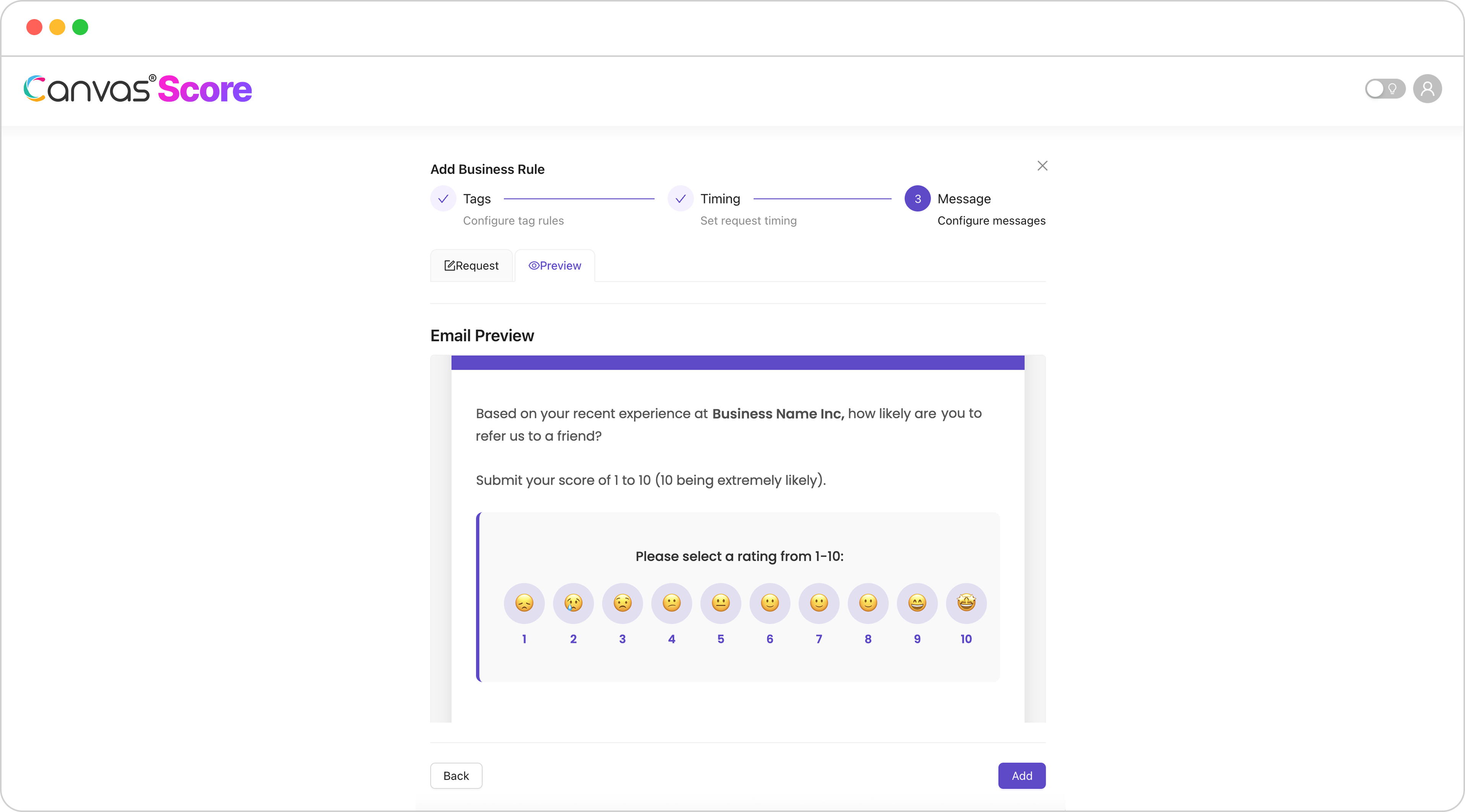
Preview your NPS survey to see what your patients will receive
If you haven’t set up your Referral Incentive Offers, click here to learn how!
Now that your business rules, NPS survey, and referrals are set up, enjoy the handsfree benefits of automation! Your contacts will sync to Canvas Score, send NPS surveys based on your business rules, and your business will start generating more reviews and referrals automatically.

Canvas® Score is a proprietary review & referral automation platform designed and developed by Roya.com
© 2026 Canvas® Score | All Rights Reserved