
Canvas Score makes it effortless to reply to google reviews, so your clients get a custom reply to their review, potential clients visiting your profile see your engagement, and your profile benefits from frequent updates.
Canvas Score syncs new reviews from your google business profile (GBP) location(s) into your account.
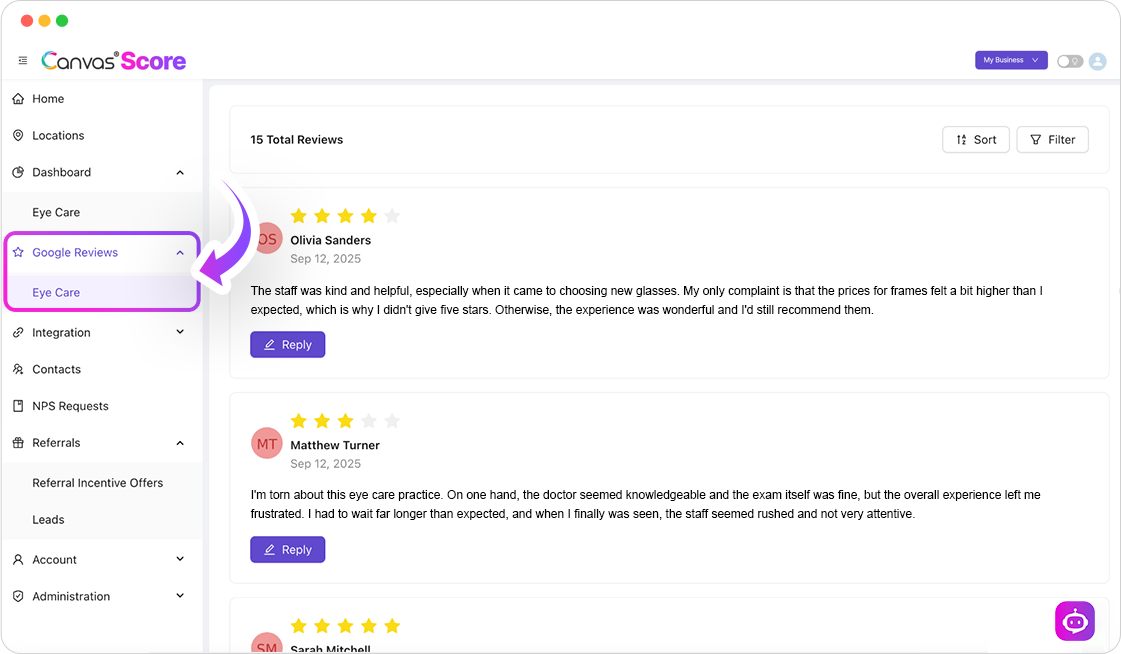
To manage your google reviews, click ‘Google Reviews’ in the menu on the left and click into the GBP you want to manage reviews for:
How to Respond To Google Reviews
Generating new reviews and responding to new reviews has become increasingly important for SEO visibility and increasing search engine ranking.
Get AI Suggestion
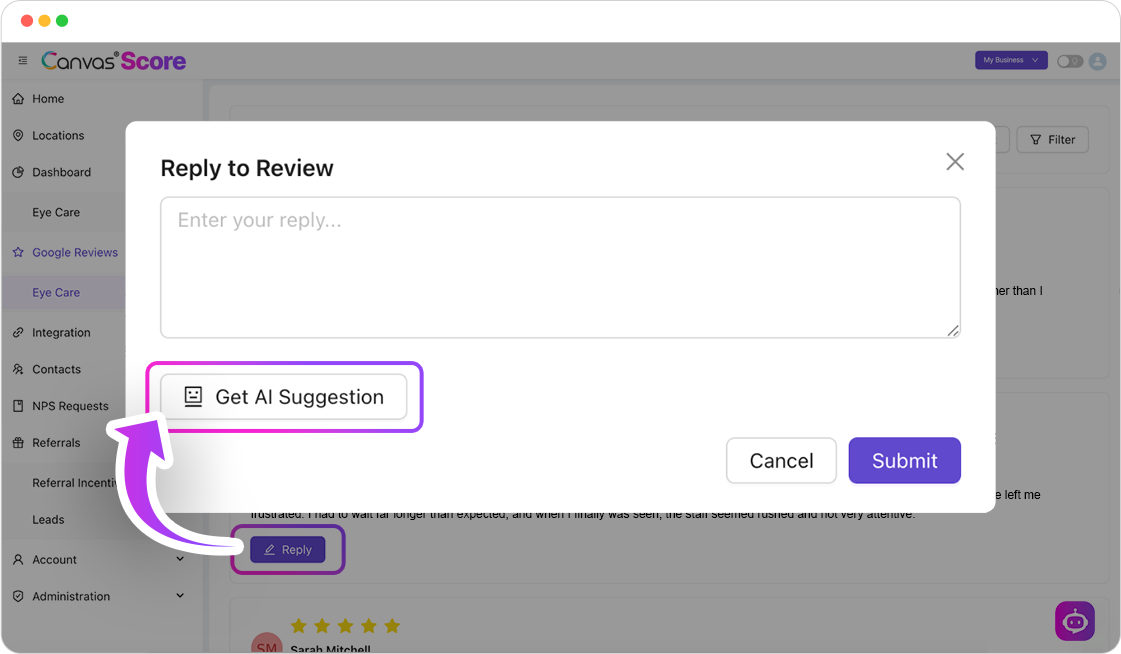
Click the purple ‘Reply’ button within each review entry to launch the reply pop-up. Within the Reply pop-up, click the option for ‘Get AI Suggestion’ to allow the Canvas Score AI Assist Agent to scan the review and create a custom reply with the keywords and content of each review.
Reply Tone
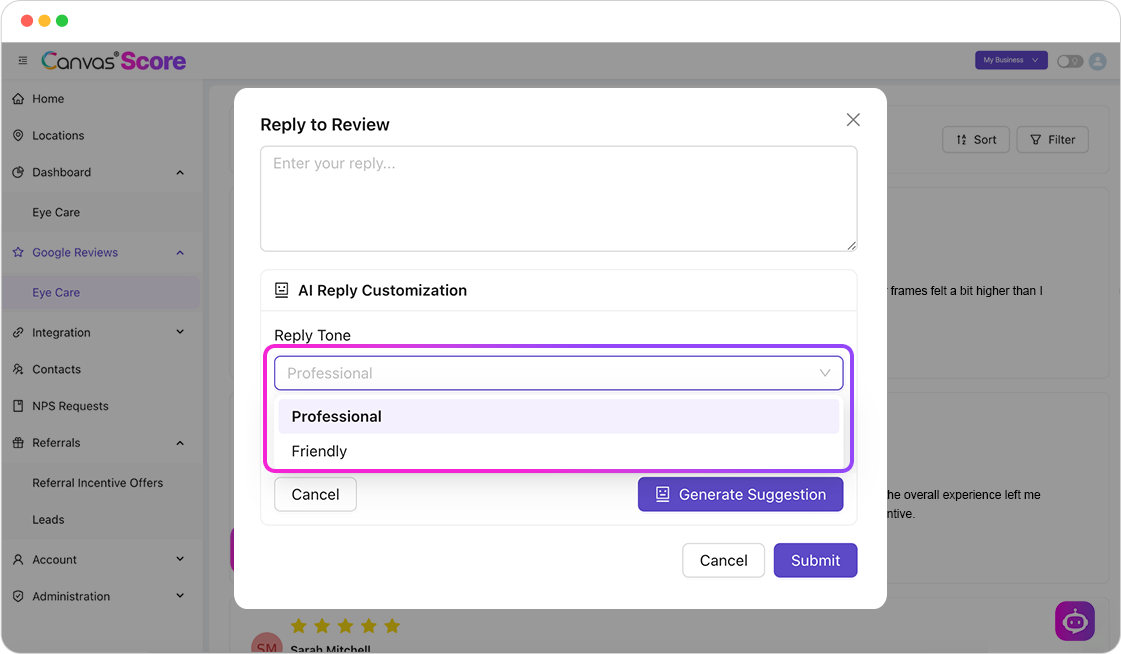
Prior to Generating your response, you have the option to select from “Professional” or “Friendly” for the tone of the reply:
Optional
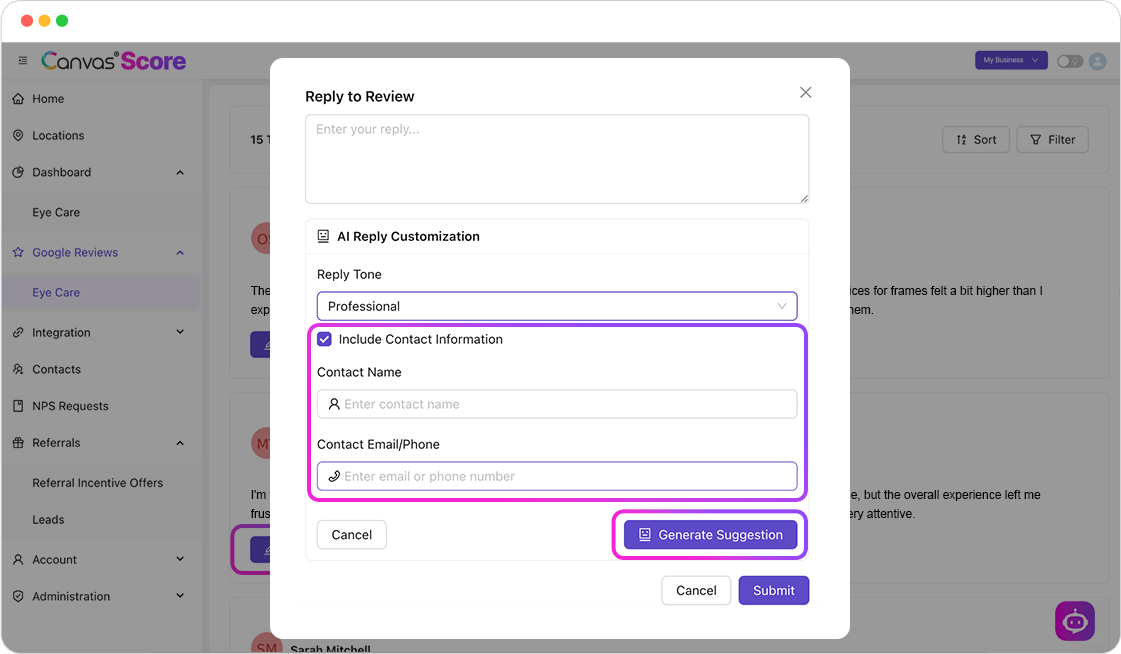
If the review you’re replying to is low starring or negative in nature, and you’d like to include contact information in the reply to further discuss the contact’s experience, you can click the check box to ‘include contact information’ before clicking “Generate Suggestion”
Use this Reply
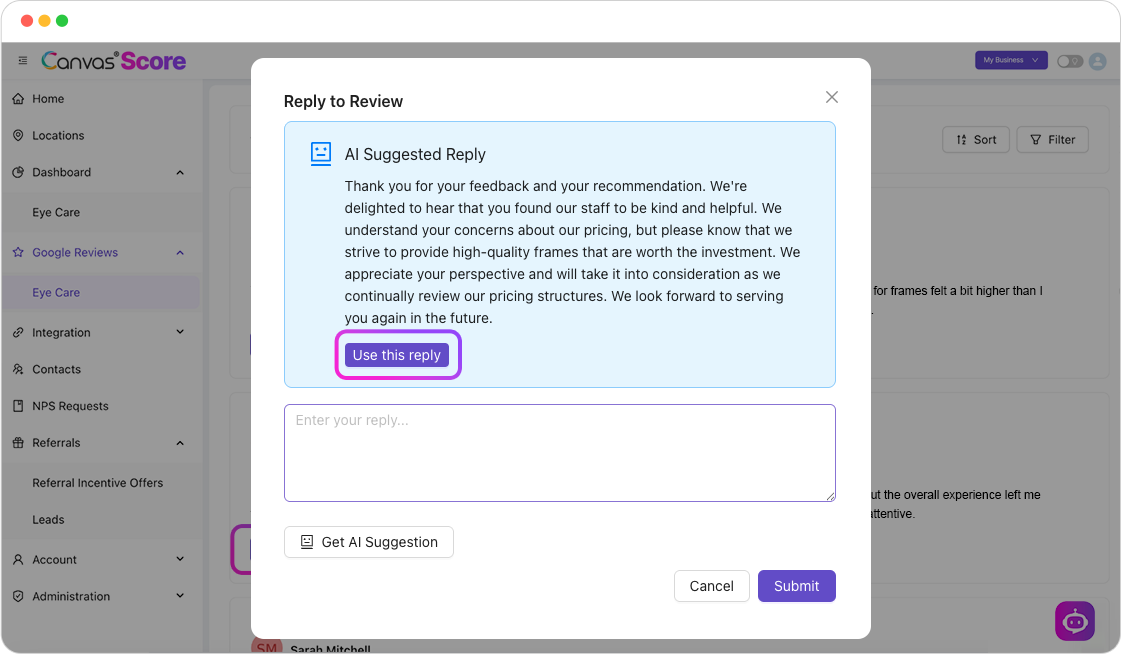
It will take a moment for the Canvas Score AI assist to scan the review and provide a customized reply, once it has generated it will appear within the pop-up, click the button ‘Use this reply’ to bring that copy into an editor, to further customize if you’d like prior to posting. If the response is not what you’re looking for, you can click the button to ‘Get AI Suggestion’ again, to generate a new response:
Submit
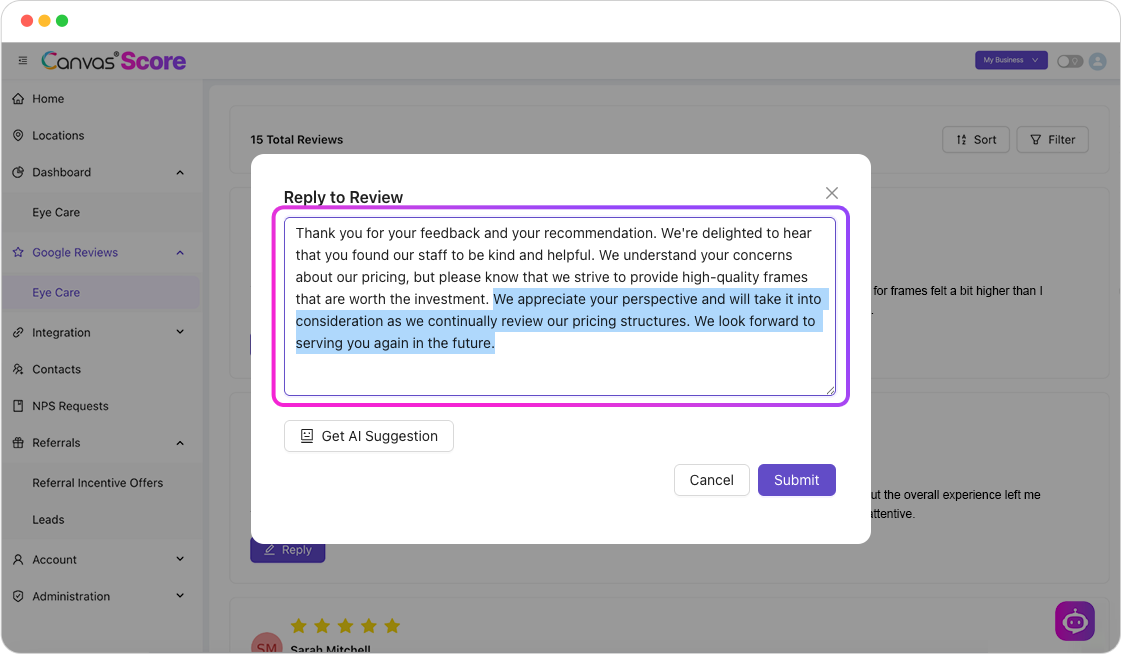
After clicking ‘Use this reply’ you will see the response copy in an editor, where you can make edits prior to posting the reply. For your reply to post to google, you have to click ‘submit’.
After clicking ‘Submit’ your reply will be posted with the business name and go live within an hour.
Make Changes
If you post a reply, but want to make changes, there will be buttons below the reply to ‘delete’ or ‘edit’.

If You Have Questions,
Visit our support resource center here to view more information or contact our support team.

Canvas® Score is a proprietary review & referral automation platform designed and developed by Roya.com
© 2026 Canvas® Score | All Rights Reserved